Danamon E-Money Card
info icon
Information
Effective September 1, 2026, the purchase of Danamon e-Money cards will no longer be available at all Danamon branch offices. Danamon e-Money services and features will remain available to customers who already own the card.

Product Information

Simplify your payment transactions using the specially designed Danamon e-money card. PT Bank Danamon Indonesia Tbk (“Danamon”) issued this card in collaboration with Bank Mandiri e-money to serve as a method for cashless payments involving transactions with over of 50,000 Bank Mandiri e-money partner merchants, such as:


General Terms

1. In accordance with Bank Indonesia regulations, the Danamon e-money card can store a maximum balance of IDR 2,000,000 (Two Million Rupiah).

2. Cardholders can reload the Danamon e-money card up to a maximum of IDR 20,000,000 (Twenty Million Rupiah) per month.

3. Danamon e-money card has no expiration date.

4. Danamon e-money card can be used at Bank Mandiri e-money partner merchants.

How To

  1. How to top up Danamon e-money card
    There are two ways to top up Danamon e-money card:
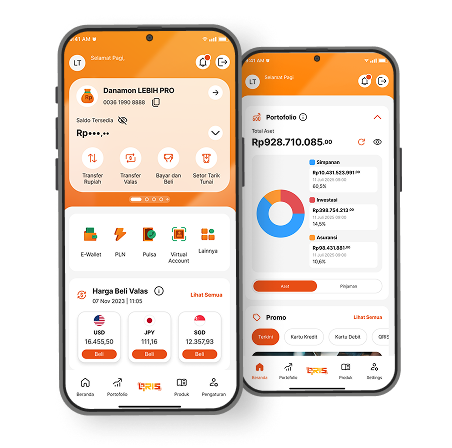
    1. Via D-Bank PRO with NFC:
      • On the Home page, tap "More", then select "e-Money".
      • Tap your Mandiri e-Money card on the NFC sensor or enter the card number, then tap "Continue".
      • Complete the Top Up transaction:
        1. Select the Funding Source and Top Up Amount, then tap "Continue"
        2. Review the payment details, then tap "Confirm".
        3. Enter your m-PIN.
      • The Mandiri e-Money Top Up transaction is successful.
      • To check your balance or perform other transactions, go to the Home page, tap "More", then select "e-Money".
    2. Via D-Bank PRO without NFC:
      • On the Home page, tap "More", then select "e-Money".
      • Enter the 16-digit Mandiri e-Money card number, then tap "Continue".
      • Complete the Top Up transaction:
        1. Select the Funding Source and Top Up Amount, then tap "Continue".
        2. Review the payment details, then tap "Confirm".
        3. Enter your m-PIN.
      • The Mandiri e-Money Top Up transaction is successful.
    3. Cash method
      • via teller-assisted Bank Mandiri branches
      • via cashiers in retail partner merchants, such as Indomaret, Alfamart, Alfamidi, Lawson, 7-Eleven, Superindo, Circle-K, Family Mart and Hypermart
    4. Non-cash method
      • via e-commerce through the Tokopedia app:
        1. Select "top up" menu, then "electronic money"
        2. Choose e-money product “Mandiri e-money”
        3. Enter e-money card number
        4. Choose your desired top-up value
        5. Proceed to chosen payment method
        6. Select payment via “Danamon Virtual Account”
        7. Follow the Danamon Virtual Account payment process via D-Bank or Danamon ATM
        8. Then you can update the balance through:
          • Tap the Danamon e-money Card on an Android device with an NFC reader. You will be automatically redirected to the Tokopedia application. Once the transaction is successful, the Danamon e-money balance will be updated and displayed on your Android screen.
          • Access the "Update Balance" menu at an ATM or Mandiri EDC and follow the on-screen instructions. Once the transaction is successful, the Danamon e-money card balance will be updated and displayed on the ATM or Mandiri EDC screen.
      • via Mandiri EDC machine using Mandiri Debit Card
        1. On the Menu, select Prepaid and press OK
        2. Choose Top Up, press OK
        3. Choose from any of the preset top-up amounts or other amount
      • Swipe your Mandiri debit card on the Mandiri EDC machine
        1. Check transaction details and if correct, enter your Mandiri debit PIN
        2. Tap your Mandiri e-money card on the reader
        3. The transaction is successful when the increase in your Danamon e-money card balance is printed on the transaction receipt
        4. Save receipt as proof of transaction
      • Via Bank Mandiri ATM with e-money logo:
        1. Insert your Mandiri debit card into the ATM machine
        2. Enter your Mandiri debit PIN
        3. Select Electronic Money menu, Mandiri e-money, reload, then select any of the preset top up amounts or other amount
        4. Confirm your reload value, if correct, press "Yes"
        5. Tap your Danamon e-money card on the reload reader
        6. The transaction is successful when the increase in your Danamon e-money card balance is printed on the transaction receipt
        7. Save receipt as proof of transaction
  2. Check balance and print history of Danamon e-money card transactions
    Check balance and print transaction history for Danamon e-money cards via:
    1. Any Mandiri ATM (with e-money logo)
    2. Top-up e-money app – for Android users with NFC feature
    3. Bank Mandiri EDC and retail partner merchants, such as Indomaret, Alfamart, Alfamidi, Lawson, Superindo, Circle-K, Family Mart and Hypermart

For complete terms and conditions, click here.

D-Bank PRO #SelaluMenggoda
From transaction to daily financial management, find the right solution that captivates everyone from D-Bank PRO by Danamon!
product icon
Waspada Modus Penipuan Transaksi Online